Stop guessing. Start Profiting.
Stop guessing.
Start Profiting.
JUNK OR GEM is a scouting tool for resellers that calculates
Real Net Profit instantly.
Don't just check the price—check the margin.
Resellers DON'T need more data.
They need less RISK.
JUNK OR GEM isn't just another price finding scanner app. It is a risk mitigation tool that helps you buy smarter, walk away faster, and make more money.
YOU DO THE HUNTING.
WE DO THE MATH.
INSTANTLY.
Calculating eBay fees, shipping costs, and margins while looking up comps slows you down.
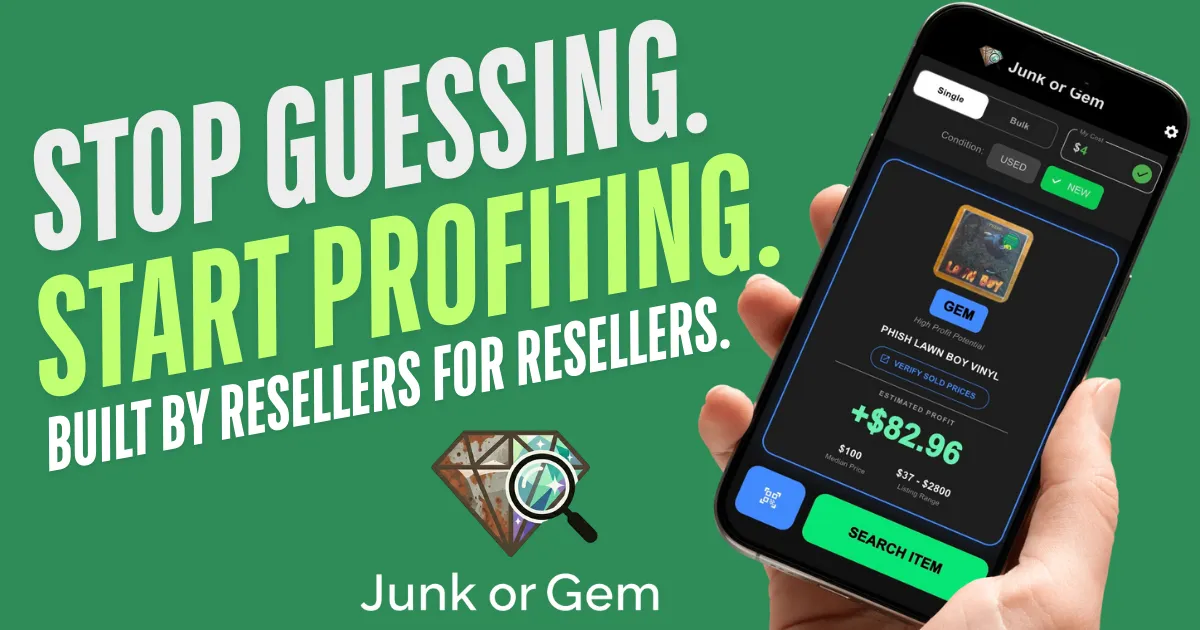
Junk or Gem turns your phone into a profit engine.
✅ Input Your Buy Cost: Set it once (e.g., $1.99) or adjust for different priced items.
✅ Scan the Barcode: Receive instant results from live market data.
✅ See the Verdict: A color coded system based on your personal profit goals helps streamline your buying decisions. a ParThis is a Pa Paragraph Fo
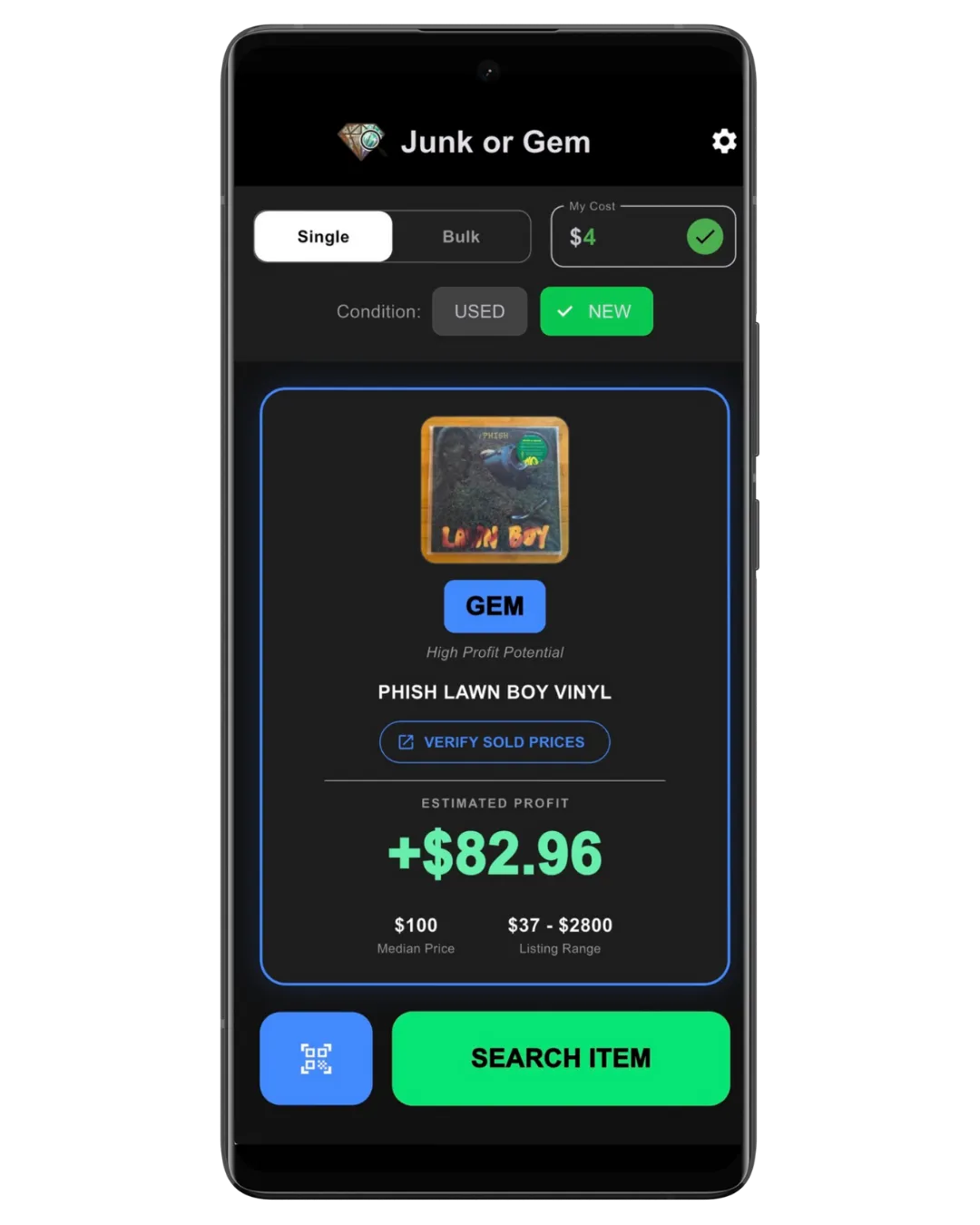
💎 GEM (Blue)
High Profit
The holy grail. These items exceed your highest profit goals (e.g., >$40 net).
Buy immediately.
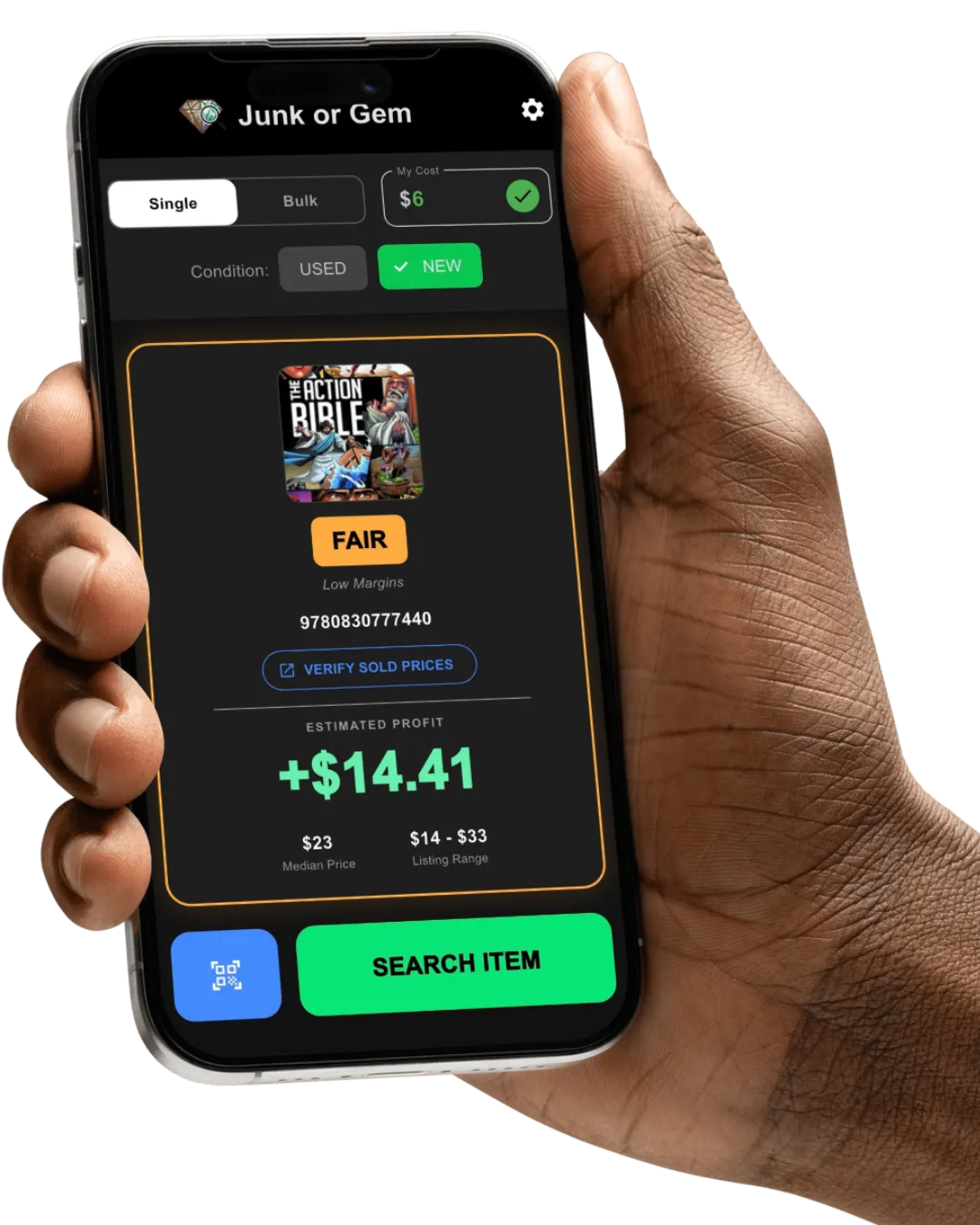
🟢 GOOD BUY (Green) Reliable Income
Solid flips that build your bankroll (e.g., >$15 net). The bread-and-butter of reselling.
🟠 FAIR BUY (Orange) Marginal
Money can be made, but margins are thin, or the market is flooded with competition (>5,000 active listings). Proceed with caution.
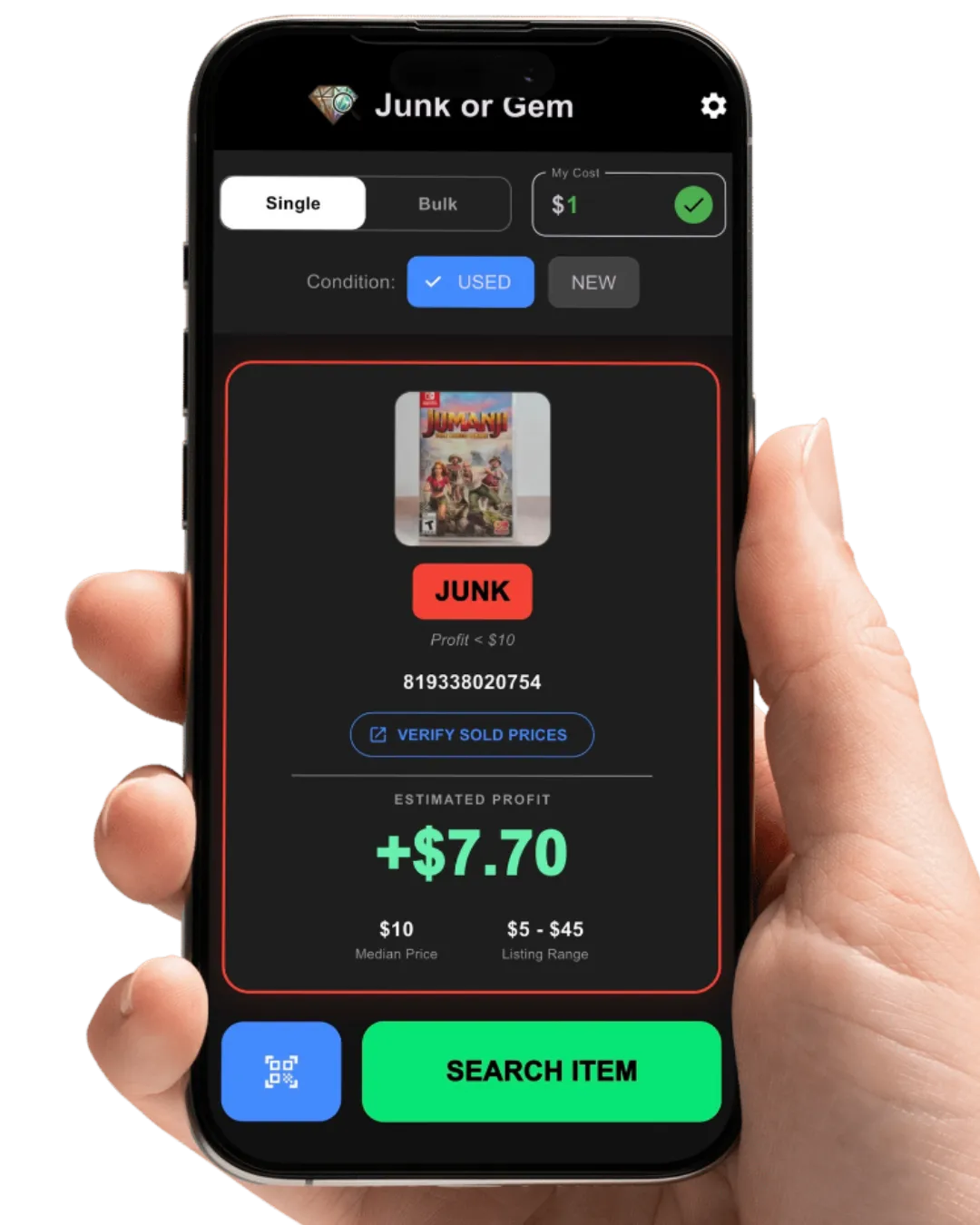
🔴 JUNK (Red) Hard Pass
Items that will lose you money or don't meet your minimum profit threshold. Leave it there and walk away.
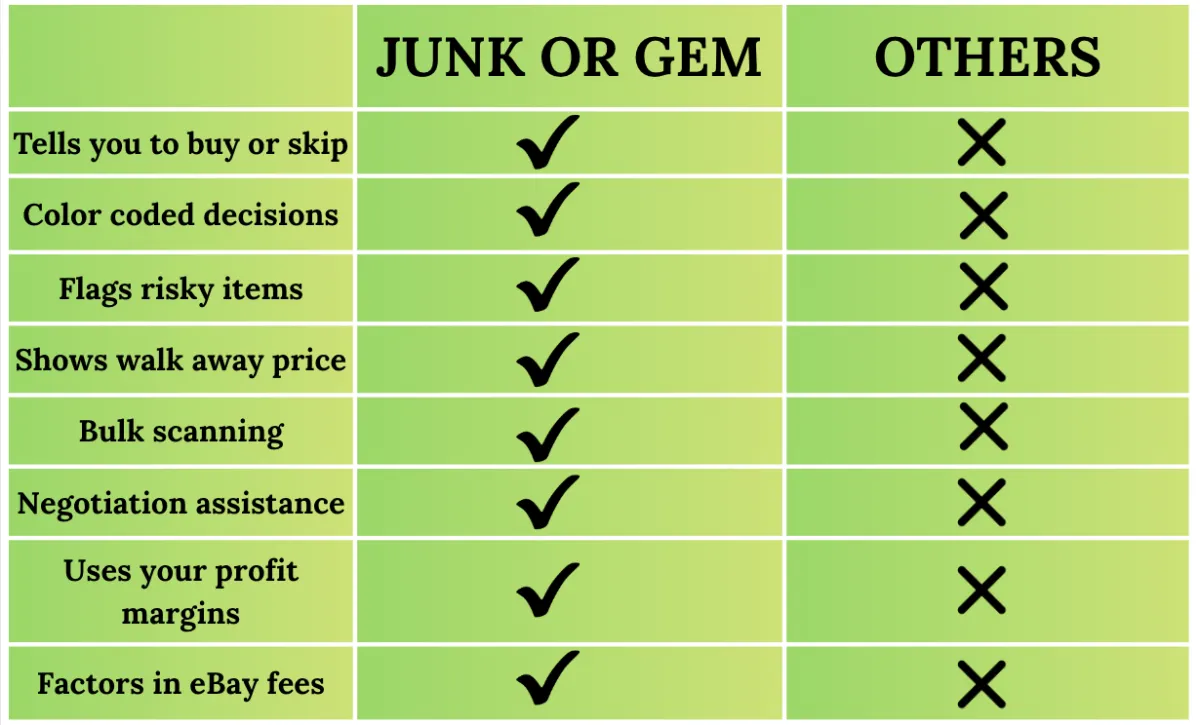
Most flipping apps help you RESEARCH.
JUNK OR GEM helps you DECIDE.
Smarter Data.
Safer Buys.
We don't just show you raw averages that are ruined by outliers. We use Median Pricing to find the true middle-market value. Plus, JUNK OR GEM's Flood Detection warns you if the market is oversaturated with a given item, protecting you from "dead pile" inventory. Most importantly, the app uses your metrics to identify JUNK to help you stop blowing cash on bad buys.
Master Bulk Buying.
Whether you are at a thrift store, the bins, or buying a collection, switch to Bulk Mode to scan entire lots in seconds. The app tracks your total projected profit and calculates a Max Cash Offer so you can negotiate a winning deal on the spot.
Built for Stability.
Unlike other apps that are full of bloated features the average reseller doesn't need, "scrapes" data without eBay's permission, and crashes constantly, JUNK OR GEM only includes necessary tools and is built 100% on the official eBay API.
In other words, it’s fast, ethical, and won't get you banned.

JUNK OR GEM is built by resellers for resellers.

Frequently Asked Questions
How does the app decide if an item is "Junk" or a "Gem"?
Unlike other apps that just show you a price, Junk or Gem calculates your Real Net Profit first. We take the market value, subtract eBay fees (which you can customize), and subtract your "Buy Cost." Based on that final profit number, we assign a verdict:
💎 GEM (Blue): You will make a high profit (over $40). Buy immediately.
🟢 GOOD BUY (Green): You will make a solid profit (over $15). Reliable inventory.
🟠 FAIR (Orange): You will make money, but margins are thin (between your minimum and $15) OR the market is flooded with competition.
🔴 JUNK (Red): You will either lose money or the profit is below your personal "Minimum Profit" setting.
What does "Market Flooded" mean?
Sometimes an item has a high price, but nobody is buying it because there are too many for sale. If our system sees more than 5,000 active listings for an item, we automatically downgrade the verdict to FAIR, even if the price is high. This protects you from buying inventory that will sit on your shelf for months.
Why did an item show as "Junk" even though it sells for $20?
This usually happens for two reasons:
1) Fees & Cost: After subtracting eBay fees and your store cost, the net profit might be very low.
2)Your Thresholds: Check your Settings. If you set your "Minimum Profit" to $15, the app will mark a $10 profit item as JUNK because you told it you don't want to waste time on smaller flips.
Why do I see different prices here than I see on the eBay app?
The eBay app often shows you every listing, including crazy outliers (like a sticker for $0.99 or a dreamer asking $1,000 for a $20 item).
Junk or Gem uses Median Math. We look at the entire market and find the exact middle price. This strips out the outliers to give you a realistic, conservative estimate of what you can actually sell it for.
Are these prices based on Sold Listings or Active Listings?
Our valuation engine is based on Active Listings.
The Reason: Sold history tells you what happened in the past. Active listings tell you who your competition is right now. If 50 people are currently selling a game for $15, you cannot sell yours for $30 just because someone sold one last month.
The Ethics: Many apps illegal "scrape" sold data, which makes them slow and unreliable. We use the official eBay API for stability.
The Verify Button: We believe in transparency. Every scan has a "Verify Sold Prices" button that instantly takes you to eBay’s official sold records so you can confirm the data yourself.
The app says "No active listings found," but I see items on the eBay app. Why?
We use Smart Filtering to provide the most relevant data for a reseller. By default, we filter out items listed as "For Parts/Not Working" and extremely low-priced listings (under $2) to keep the profit calculations clean.
While this protects you from bad data most of the time, it does mean that occasionally a valid item might "slip through the cracks" if it doesn't fit those strict criteria. Junk or Gem prioritizes accuracy over noise.
How does the "My Cost" box work?
This is your Cost of Goods Sold (COGS).
The app assumes you are scanning a batch of items with similar pricing. If you type $1.99 into the box, the app applies that cost to every single item you scan afterwards until you manually change it. This allows you to blitz through a "$2 DVD Bin" or a "$5 Clothing Rack" without having to stop and re-type the price for every scan.
How much does Junk or Gem cost?
You can use JUNK OR GEM, 100% ad free, at no cost for 10 scans per day.
If you love it, which we know you will, you can go PRO for $5.99 per month or $49.99 per year. JUNK OR GEM PRO offers unlimited scans and access to the bulk scanning and negotiation tools.
Think about it...If JUNK OR GEM PRO helps you find ONE item that turns a profit or to skip an item that would have wasted your money, it has more than paid for itself. It's a no brainer...even for the casual reseller!
How does the "Bulk Mode Negotiation Assistant” work?
Bulk Mode is designed for garage sales or other scenarios when you need help with pricing large lots.
Switch the toggle to Bulk.
Scan every item in the box/pile.
Tap "View Cart & Profit."
The app shows you two numbers: your Total Projected Profit (Green) and a Max Offer (Blue). Use the "Max Offer" number to make a cash offer to the seller, knowing you have locked in your margin.
Can I change the settings?
Yes! Go to the Settings icon in the top right.
You can adjust:
eBay Fee Estimate: (Default is 13%, but you can adjust for promoted listings).
Min Profit Threshold: Tell the app the minimum dollar amount you need to make to justify a purchase.
Max Offer %: Adjust how aggressive your buying offers should be in Bulk Mode.
Does the app differentiate between New and Used items?
Yes! There is a toggle on the main screen for "Used" vs. "New."
Why this matters: A sealed video game might be worth $100, while the used copy is worth $20. Make sure you have the correct toggle selected to get the accurate market value for the condition you are holding.
Do you sell my scanning data?
Absolutely not. We do not require an account, we do not track your GPS location, and we do not see what you are scanning. All the "secret sauce" calculations happen right on your phone. Your finds are your business.
Try Junk or Gem for FREE...with ZERO ads
or
Go PRO for only $5.99 per mo/$49.99 per yr.
Stop Guessing. Start Profiting.
© 2026 Junk of Gem- All Rights Reserved.